
The Takealot Seller API gives you programmatic access to sales, offers, transactions, balances, returns, and shipments so you can automate reconciliation and order workflows instead of exporting spreadsheets by hand. Your first step is generating a Seller API key inside the Seller Portal, then authenticating your requests against the official documentation to confirm the endpoints you need are covered.
TL;DR:
- API access is primarily read-only, covering sales, offers, transactions, balances, returns, and shipments, with write operations limited and requiring direct endpoint calls.
- Generating and securely storing the API key in environment variables is crucial, and rotating it periodically prevents common authentication errors.
- Handling pagination requires treating continuation tokens as opaque cursors, with persistent storage and careful checkpointing to avoid data loss during bulk imports.
- Integration architecture should separate concerns like API client, rate limiting, checkpoint storage, and data normalization to ensure scalability and resilience.
- Testing should include staged simulations and cautious live environment testing during low-traffic periods to prevent unintended data alterations.
Table of Contents
- What Does the Takealot Seller API Actually Cover?
- Where Do I Get My Takealot Seller API Key?
- How Do You Handle Pagination Without Losing Data?
- Community SDK Quickstart: Sonnenglas PHP SDK
- What Does a Production-Ready Integration Architecture Look Like?
- Troubleshooting: Common Takealot API Errors and Fixes
- Real-World Integration Workflows: Order Processing and Inventory Sync
- Is There a Sandbox for Testing Takealot API Integrations?
- How Does Takealot Manage API Versioning and Updates?
- Build vs. Partner: When Direct Integration Makes Sense
- Managed Takealot Integration Without the Engineering Overhead
- Sources
- FAQ
What Does the Takealot Seller API Actually Cover?
The API is built around seller-facing resources, not a general storefront feed. Once authenticated, you can query these core objects:
- Sales — order-level data for reconciliation and fulfillment triggers
- Offers — your live listings, pricing, and stock status per SKU
- Transactions — financial line items tied to payouts
- Balances — running account totals for accounting sync
- Returns — customer return records and status
- Shipments — dispatch and courier tracking data
- Seller and facilities — account and warehouse metadata
Most of the public surface is read-focused. Community tooling like the sonnenglas/takealot-php-sdk wraps these GET endpoints specifically, which covers reconciliation and reporting use cases well but leaves write operations, like updating offer pricing or stock, requiring direct calls against the endpoints documented at seller-api.takealot.com. Check the official schema before assuming a mutation path exists for your use case.
Where Do I Get My Takealot Seller API Key?
Your API key lives inside the Seller Portal, under a path most developers find on the first try: API Integration → Seller API → Authentication → Generate / Copy Key. That same portal area is also where you configure order webhooks for real-time delivery instead of polling, worth setting up once your integration matures past the initial build.
Once you have the key, here is the sequence that avoids the most common setup mistakes:
- Generate the key in the Seller Portal and copy it immediately, since it is not redisplayed later in full.
- Store it as an environment variable (
TAKEALOT_API_KEY), never hardcoded in a script or committed to version control. - Pass it in the request header format specified in the current docs, either
X-API-Keyor anAuthorization: Key <api_key>scheme depending on the endpoint version. - Test against a low-risk read endpoint like
sellerbefore wiring up order or transaction pulls. - Rotate the key periodically, and remember only one active key exists per account. Generating a new one invalidates the old.
A 401 response almost always traces back to a stale key, a copy-paste error with trailing whitespace, or a header name mismatch between what your client sends and what the current API version expects.
Pro Tip: Keep your API key in a secrets manager or vault rather than a .env file on a shared server. If your stack already handles secrets for other integrations, tools built for Shopify security practices offer a useful reference point for key rotation and access control habits worth borrowing.
How Do You Handle Pagination Without Losing Data?
Continuation tokens are the trap that catches almost every developer on their first bulk import. Treat a continuation token as an opaque cursor. It is not a page number, and once you supply one, the API may ignore other filters you passed in the same request, including date ranges you thought were still active.
Build your import loop around that behavior, not against it:
- Request a reasonable page size per endpoint (check current docs for the max, since limits vary by resource).
- Persist the continuation token to durable storage after each successful page, not just in memory.
- On resume, pass only the stored token, no other filters, since they will be ignored anyway.
- Log the token alongside a timestamp so you can diagnose exactly where a job stalled.
Two loop patterns work in practice: an iterate() style helper that abstracts the token handling for you, or a manual list() + token loop where you control checkpointing yourself. The manual pattern costs more code but gives you precise control over what happens when a job dies mid-run, which matters more than it sounds once you are syncing thousands of orders a day. A checkpoint you never test is not a checkpoint. Simulate an interrupted job in staging before you trust this in production.
Community SDK Quickstart: Sonnenglas PHP SDK
If PHP is your stack, the sonnenglas/takealot-php-sdk gets you from zero to a working read integration faster than hand-rolling HTTP calls. It is framework-agnostic and built on PSR-7/17/18 contracts, so it slots into Laravel, Symfony, or a plain PHP project without friction.
Before installing, confirm your environment matches the documented requirements:
- PHP 8.2 or newer
- Composer 2.x
- A PSR-18 HTTP client, with Guzzle as the recommended default
After installing via Composer, export your key as TAKEALOT_API_KEY and run a short verification script that instantiates the client and prints the SDK version and base URI. That single check confirms your credentials and network path work before you write a line of business logic.
Pro Tip: Run the verification script again after any Composer update. A silent version bump in a dependency is a common source of “it worked yesterday” bugs.
One caveat worth repeating: this SDK wraps read endpoints only. If your workflow needs to push offer or stock updates back to Takealot, verify that write path exists in the official docs and call it directly. Community SDKs speed up delivery, but they are not a substitute for reading the actual API contract.
What Does a Production-Ready Integration Architecture Look Like?
A quickstart script and a production system are different animals. The pattern that scales, and the one that saves you from a 2 a.m. incident when Takealot changes rate limits, separates concerns cleanly:
- API client — a thin wrapper around HTTP calls, nothing else
- Retry and rate-limit middleware — interprets
Retry-Afteron 429 responses and applies exponential backoff - Cursor and checkpoint store — persists continuation tokens outside application memory
- Normalized data layer — converts Takealot’s response shapes into your internal models before anything downstream touches them
- Idempotent connectors — downstream systems (your ERP, your warehouse tool) that can safely receive the same record twice without duplicating it
This separation means a Takealot API change touches one component, not five. For testing, mock your PSR-18 client in CI rather than hitting the live API on every build, and write a dedicated test that kills a sync job mid-page and confirms it resumes cleanly from the stored token rather than restarting from zero.
Pro Tip: Build your interrupted-resume test before your first production outage forces you to write it under pressure.
Troubleshooting: Common Takealot API Errors and Fixes
Most integration failures fall into three buckets, and each has a fast diagnostic path:
- Authentication failures — confirm the header name matches current docs, check that the key is still the active one on the account (only one is valid at a time), and regenerate if the portal shows it as revoked.
- Pagination errors — verify you are treating the continuation token as opaque and not appending filters alongside it, and confirm your checkpoint store actually saved before the process exited.
- Rate limiting — a 429 response means back off using the
Retry-Aftervalue rather than retrying immediately, since hammering the endpoint tends to extend the cooldown. - Date and currency confusion — order timestamps interpret in South African Standard Time (SAST), and financial figures come back in South African Rand. A sync job that assumes UTC will misfile orders near midnight.
Walking this checklist in order catches the majority of first-week integration bugs before they reach production.
Real-World Integration Workflows: Order Processing and Inventory Sync
The two workflows most sellers build first are order processing and inventory synchronization, and they stress the API in different ways.
Order processing typically runs on a schedule or via webhook trigger. A new sale lands, your system pulls the full order record from the sales endpoint, maps it into your order management or ERP system, and triggers a fulfillment action, whether that is a warehouse pick instruction or a dropship notification to a supplier. The tricky part is idempotency: if your poller runs twice before your database commits, you cannot process the same order twice. Design your order ingestion to check for an existing record by Takealot’s order ID before creating a new one.
Inventory sync runs the opposite direction. Your source of truth, whether that is a warehouse management system or a simple spreadsheet-backed database, needs to push stock levels to your Takealot offers on a cadence tight enough to avoid overselling but loose enough to respect rate limits. Many sellers batch these updates hourly rather than in real time, accepting a small lag in exchange for staying well under rate ceilings.
A seller running multiple marketplaces alongside Takealot often finds the inventory sync problem compounds fast. Stock committed to a Takealot order needs to decrement everywhere else instantly, or you risk selling the same unit twice across channels. That cross-channel reconciliation logic is usually the single hardest part of a multi-marketplace integration, harder than the Takealot connection itself.

Is There a Sandbox for Testing Takealot API Integrations?
Takealot does not publish a dedicated public sandbox environment the way some larger platforms do, so most developers test against their live seller account using low-risk, reversible actions. Start with read-only endpoints, sales history, transaction pulls, and balance checks, since these carry zero risk of altering live data.
For anything closer to write operations, the safer pattern is building a staging layer in your own application rather than relying on Takealot infrastructure to isolate you. Mock the API responses using recorded fixtures from real (but old) data, and run your integration logic against those fixtures in CI before every deploy. This catches regressions in your pagination handling, your data mapping, and your error handling without touching a live account.
When you do need to validate against the real API, do it during low-traffic hours and on a single test SKU or a small order batch you can manually verify. Treat any action that touches offers, pricing, or stock as production from the first call, since there is no separate test tier to fall back into. Document exactly which live tests you ran and when, so a future teammate debugging an odd stock discrepancy can rule out your own test traffic as the cause.
How Does Takealot Manage API Versioning and Updates?
The Takealot Seller API evolves through the documentation published at seller-api.takealot.com, which functions as the single source of truth for current endpoint schemas, required headers, and any breaking changes. There is no separate changelog feed most developers rely on beyond checking the docs directly, so building a habit of periodic review matters more here than on platforms with formal deprecation notices.
The practical risk is silent drift: a header name changes, a response field gets renamed, or a new required parameter appears, and your integration breaks without warning. Guard against this by pinning your integration tests to real response shapes and running them on a schedule, not just at deploy time, so a shape change surfaces within a day rather than when a customer complains about missing orders.
Community projects like the Sonnenglas PHP SDK also track upstream changes, and its own release history can serve as an early warning signal. If the SDK maintainers push an update to handle a new field or header, that is often a sign the underlying API shifted. Watching that repository alongside the official docs gives you two independent signals instead of one, which is worth the five minutes a month it takes to check both.

Build vs. Partner: When Direct Integration Makes Sense
Direct integration suits teams that need granular control over custom workflows, or engineering capacity to maintain the connector as Takealot’s API evolves. If your roadmap includes multi-market listings, cross-border compliance, or fulfillment you would rather not staff internally, a managed marketplace integration partner often gets you to revenue faster than a from-scratch build, particularly when compliance and local presence are the actual bottleneck, not the API call itself.
— Matt
Managed Takealot Integration Without the Engineering Overhead
If everything above sounds like a build you would rather not staff, Moreshores handles the marketplace side without requiring your team to maintain a connector against a changing API.
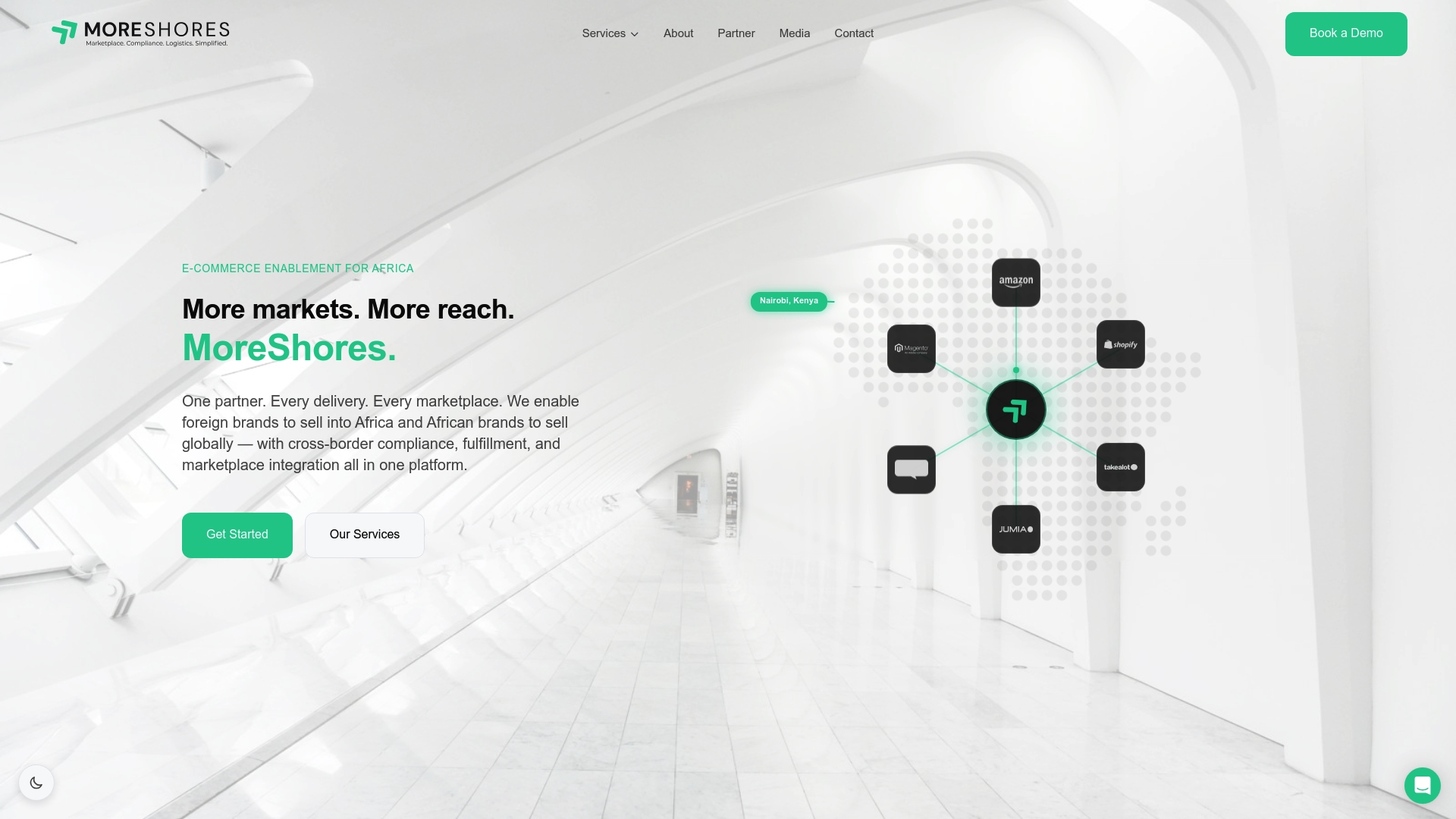
Moreshores lists and syncs your products across Takealot, Amazon SA, Jumia, and Kilimall from one operational setup, alongside acting as Importer of Record for customs clearance, duties, and VAT, so you are not juggling separate broker and courier contracts on top of the integration itself. That means a seller entering the South African market gets cross-border compliance, warehousing, and multi-courier fulfillment bundled with the channel distribution work, rather than stitching together an API connector, a customs broker, and a warehouse vendor separately. Pricing runs a 10% cross-border service fee alongside itemized fulfillment charges like pick and pack, listed in full on the pricing page. If you are weighing a direct Takealot integration against a managed path, start by reviewing how the onboarding process works to see which fits your team’s actual bandwidth.
Sources
FAQ
What Are the Downsides of Selling on Takealot?
Sellers commonly cite commission fees that eat into margins on lower-priced items, strict listing and fulfillment standards, and limited control over pricing display compared to running your own storefront. Integration complexity adds another layer, since building and maintaining a direct API connection requires ongoing engineering attention as Takealot updates its documentation.
How Much Does Takealot Charge to Sell Products?
Takealot’s own commission and fee structure is published on its seller platform and varies by category, so check the current Seller Portal for exact rates. If you use Moreshores for cross-border listing and fulfillment support alongside your Takealot presence, that service runs a 10% cross-border fee plus itemized fulfillment charges detailed on the pricing page.
Which Courier Company Does Takealot Use?
Takealot operates its own logistics network for most fulfillment rather than relying on a single third-party courier, handling last-mile delivery internally in major metro areas. Sellers fulfilling orders themselves, rather than through Takealot’s own fulfillment service, typically arrange their own courier or use a multi-courier fulfillment partner to manage dispatch and tracking.
Does Takealot Support Dropshipping?
Takealot does not offer a formal, native dropshipping program the way some platforms do, and sellers are expected to manage their own stock and fulfillment reliability standards. Sellers who want a dropship-style setup without holding inventory themselves often use a fulfillment and warehousing partner that holds stock on their behalf and dispatches on order, which achieves a similar outcome within Takealot’s actual seller requirements.