Amazon South Africa Seller Launch Checklist and When to Use MoreShores

Yes, you can sell on Amazon South Africa, and registration itself takes less time than most sellers expect. Start by gathering a government-issued ID that matches your business details, a bank account chargeable in ZAR (or the Amazon Currency Converter enabled), and a chargeable credit or debit card. Once you have those three items, pick a selling plan and a fulfilment method, then open a Seller Central account to begin verification.
TL;DR:
- Registration on Amazon South Africa is quick and straightforward, requiring only ID matching your business, a chargeable ZAR bank account or Currency Converter, and a valid payment card.
- Sellers should verify their GTINs and brand approvals before ordering inventory to avoid costly delays or stock disposal due to eligibility issues.
- FBA generally offers faster delivery and higher conversion rates, but hybrid models with Self Ship or Easy Ship can optimize handling for oversized or custom products.
- Estimating storage costs carefully is crucial, as FBA fees accrue even on slow-moving stock and can eat into margins if not managed properly.
- Success depends on early testing, strategic advertising, and ongoing optimization of listings, inventory, and customer feedback within the first month.
Table of Contents
- Why Sell on Amazon South Africa? The Business Case
- Before You Start: Documents, Banking, and Seller Eligibility
- Step-by-Step: Register and Configure Your Seller Central Account
- Selling Plans and Fees: How to Choose and Estimate Costs
- Fulfilment Options: FBA, Easy Ship, and Self Ship, and Which to Pick
- Listing Products: GTINs, Category Approvals, and Best Practices
- Launching and Growing: Promotions, Ads, and Optimization Basics
- How MoreShores Helps Sellers Launch Cross-Border Listings
- Author Perspective: Practical Pitfalls New Sellers Often Miss
- How MoreShores Can Accelerate Your Amazon South Africa Launch
- Sources
- FAQ
Why Sell on Amazon South Africa? The Business Case
South African sellers are stepping into a marketplace still young enough that category gaps remain wide open. Amazon built its reputation on scale, and that scale is exactly what a small or medium business gains access to the moment a Seller Central account goes live: search traffic, Prime-trained buyer habits, and a checkout experience customers already trust.
Sellers who lean on Fulfilment by Amazon often see stronger conversion than those handling shipping themselves, largely because FBA covers storage, pick and pack, and returns for enrolled SKUs. That removes the two operational headaches that sink most first-time online sellers: fulfilment speed and returns handling.
Marketplace selling makes the most sense when:
- You already have inventory moving through a Shopify or WooCommerce store and want a second revenue channel.
- Your product has a barcode-ready SKU and doesn’t require heavy customization per order.
- You want exposure to buyers actively comparing prices across brands, not just visitors from your own ads.
Before You Start: Documents, Banking, and Seller Eligibility
Amazon verifies identity against the business details you submit, so mismatches are the single biggest cause of delay. Registration requires an email address, a chargeable credit or debit card, government ID matching your business registration, and either a ZAR-chargeable bank account or the Amazon Currency Converter for receiving proceeds.
Work through this checklist before you touch the registration form:
- Confirm your ID document name matches your business registration exactly, including middle names or initials.
- Scan documents in color; black-and-white scans of multi-sided IDs are a common rejection reason.
- Merge front-and-back ID scans into a single file rather than uploading them separately.
- Confirm your bank account currency setting or activate Currency Converter for Sellers ahead of time.
- Have a proof-of-address document dated within the last 180 days ready as a backup upload.
Verification usually finishes within three business days once documents are formatted correctly. Most delays trace back to blurry scans or a name mismatch between the ID and the business entity.
Pro Tip: Photograph your ID with a plain background and good lighting rather than scanning it on a phone flatbed app. Amazon’s verification system flags glare and cropped edges more often than sellers realize.

Step-by-Step: Register and Configure Your Seller Central Account
Registration follows a predictable flow, and knowing the order in advance saves you from restarting halfway through.
- Business information — enter your legal entity name, registration number, and business address exactly as they appear on official documents.
- Seller information — add the primary contact’s ID and personal details for identity verification.
- Billing — link your chargeable card for subscription and referral fees.
- Store and product details — declare your primary product category and expected sales volume.
- Identity verification — upload the documents from your checklist and wait for approval.
Once approved, configure shipping settings, tax information, and user permissions for any team members who need account access. Download the Amazon Seller App so you can monitor orders from your phone. Before going live, create one test listing, assign a fulfilment method at the SKU level, and turn on business reports so you have baseline data from day one.
Selling Plans and Fees: How to Choose and Estimate Costs
The Individual plan suits sellers testing a handful of SKUs with no monthly commitment, charging a per-item fee instead of a subscription. The Professional plan fits sellers listing dozens of products or planning to use advertising and bulk tools, since it includes a flat monthly subscription and unlocks features Individual sellers don’t get.
Referral fees vary by category, and Amazon periodically runs temporary promotional referral rates worth checking before you price a new listing. Budget for these cost categories before committing to inventory:
- Monthly subscription (Professional plan only)
- Referral fee, calculated as a percentage of the item price by category
- FBA storage fees, billed on cubic volume held in Amazon’s warehouse
- FBA fulfilment fees, charged per unit shipped to the customer
The fee area sellers most often get wrong is FBA storage cost, because it accrues even on slow-moving stock. Run every SKU through the FBA revenue calculator before ordering inventory, not after it arrives.
Fulfilment Options: FBA, Easy Ship, and Self Ship, and Which to Pick
Your fulfilment choice affects delivery speed, customer trust, and how much operational work lands on your desk every day.
- Fulfilment by Amazon (FBA) handles storage, packing, shipping, and returns for enrolled SKUs, and it’s the strongest option when speed and a hands-off customer experience matter more than margin.
- Easy Ship lets you keep inventory in your own space while Amazon arranges pickup and delivery, a solid middle ground for sellers who want control over stock without managing courier accounts.
- Self Ship puts you in charge of packing and delivery entirely, which works best for bulky items, custom orders, or products that need specialized handling FBA warehouses won’t accommodate.
Many sellers run a hybrid model: FBA for their bestselling, easy-to-ship items and Self Ship for oversized or made-to-order products. Fulfilment channel choice often comes down to the SKU itself rather than a single company-wide policy, so revisit the decision every time you add a new product line.
Pro Tip: If you’re unsure which channel to pick for a new SKU, start it on Easy Ship for the first month. You’ll learn real shipping costs and return rates before committing that product to FBA’s storage fees.
Listing Products: GTINs, Category Approvals, and Best Practices
Most listings require a GTIN, whether that’s a UPC, EAN, or ISBN, and GS1 remains the accepted source for valid barcodes. Products without a scannable code are often flagged or suppressed, so this step deserves attention before you order stock, not after.
- Confirm whether your product category or brand requires approval; some require an invoice or authorization letter before listing goes live.
- Request a GTIN exemption only when your product genuinely qualifies, since misuse can trigger review delays.
- Choose your upload method: manual entry for a handful of SKUs, bulk file upload for larger catalogs, or API integration for ongoing feeds.
- Run a quality check on every listing: clear product images, complete bullet points, and backend search terms filled in.
- Consider Amazon Brand Registry once you have a registered trademark, since it unlocks additional listing protections and content tools.
Amazon’s Service Provider Network connects sellers who prefer paid help with vetted third-party professionals for listing work. Managed marketplace integration is another route for sellers who’d rather not build listings SKU by SKU themselves.
Launching and Growing: Promotions, Ads, and Optimization Basics
Your first thirty days on the platform set the tone for everything that follows, since early reviews and sales velocity influence how Amazon’s search algorithm treats your listing later. A competitive launch price, paired with a limited-time coupon, tends to generate the initial sales velocity that gets a new ASIN noticed.
Run these checks weekly once you’re live:
- Sponsored Products campaigns targeting your top three keywords, reviewed for wasted spend
- Business Reports for sessions, conversion rate, and buy box percentage
- Inventory reports to catch stockouts before they hurt your ranking
- Customer reviews and returns, since resolving issues quickly protects your seller rating
Amazon’s ranking mechanics reward relevance and sales history together, and understanding how the A9 algorithm weighs listing content helps you decide where to spend optimization effort first: titles and backend keywords usually move the needle faster than image tweaks alone.
How MoreShores Helps Sellers Launch Cross-Border Listings
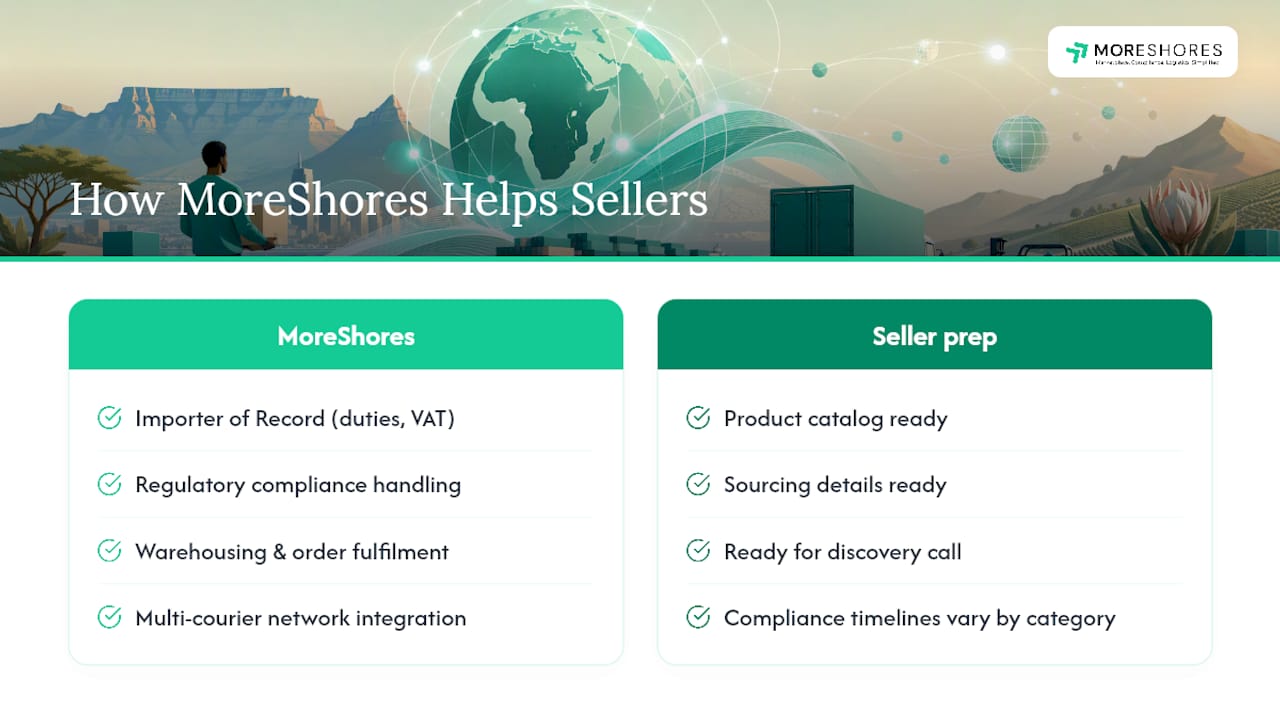
Sellers importing stock from overseas face a second layer of complexity beyond Seller Central: customs clearance, VAT, and warehousing. MoreShores works as Importer of Record for brands entering African markets, handling duties, VAT, and regulatory compliance so sellers aren’t learning customs law mid-launch.
Beyond compliance, Warehousing and order fulfilment across multi-courier networks can be connected to marketplace listings on Amazon SA, Takealot, and others through third-party services. Sellers considering this route should have their product catalog and sourcing details ready before a discovery call, since compliance timelines depend on product category.
Author Perspective: Practical Pitfalls New Sellers Often Miss
The mistake I see most often isn’t registration paperwork, it’s sellers ordering inventory before confirming GTIN eligibility or brand gating on their top SKUs. Fixing a gated product after stock lands in a warehouse means disposal or removal fees eating your margin. Verify every SKU’s listing eligibility before you place a single inbound order, not after.
— Matt
How MoreShores Can Accelerate Your Amazon South Africa Launch
Some platforms offer consolidated services for customs brokerage, warehousing, and listing agencies, providing a single partner to handle Importer of Record duties, VAT and customs compliance, warehousing, and marketplace listing integration under one engagement.
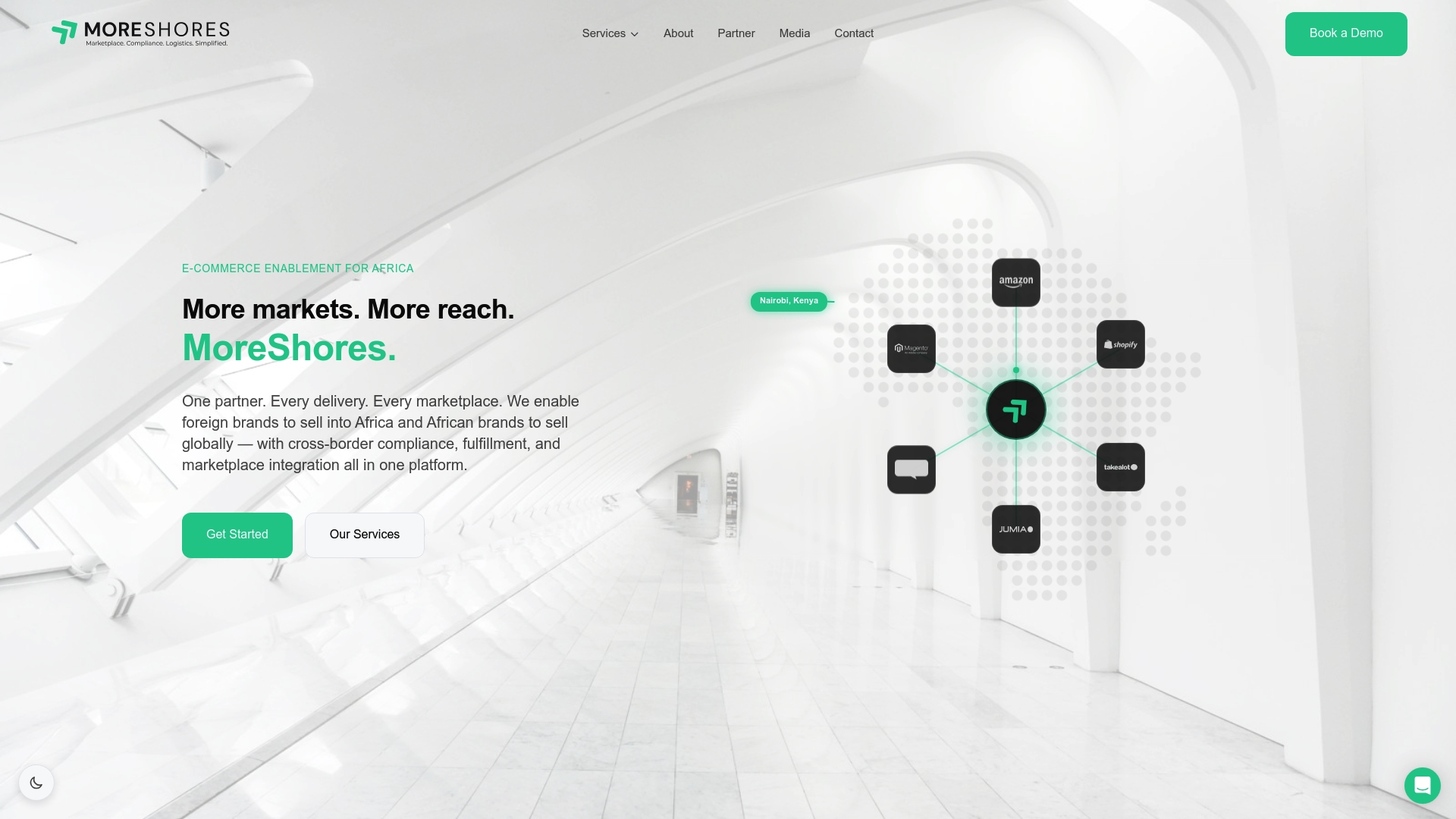
That matters most for sellers who’ve hit the wall this guide just walked through: registration is straightforward, but customs clearance and compliance paperwork is where most independent launches stall for weeks. Certain service providers handle import processes while connecting fulfilment to Amazon SA and other channels like Takealot and Jumia.
Before a discovery call, have your product catalog, sourcing origin, and target launch timeline ready. Most engagements start with a compliance review of your top SKUs. If cross-border logistics is the piece slowing your launch, explore MoreShores’ cross-border enablement services to see what a managed setup looks like for your catalog.
FAQ
Can I Sell on Amazon From South Africa?
Yes. South African entrepreneurs can register a Seller Central account, and registration requires an ID matching your business details, a chargeable card, and a ZAR-chargeable bank account or Currency Converter enrollment.
How Many Amazon Sellers Make Over $100,000?
Amazon doesn’t publish a verified figure on this specific threshold, and estimates circulating online vary widely and aren’t independently confirmed. What is consistent is that sellers using FBA and running paid campaigns typically scale faster than those relying on organic traffic alone.
What Is the Monthly Subscription Fee for Amazon Sellers in South Africa?
Amazon offers an Individual plan with no monthly subscription, charging a per-item fee instead, and a Professional plan with a flat monthly subscription for higher-volume sellers. Check the selling fees page for current rates by category.
Can I Buy on Amazon From South Africa?
Yes, South African shoppers can buy from Amazon, though product availability and shipping options depend on the seller and marketplace. This guide focuses on selling, where the setup steps and document requirements outlined above apply.
Which Fulfilment Option Should a New Amazon SA Seller Choose?
Most new sellers start with FBA for standard-sized products because Amazon handles storage, shipping, and returns automatically. Easy Ship or Self Ship fit better for bulky, custom, or slow-moving inventory where you want to retain more control.